


- Why Knowing Your JAMB Exam Centre Early Matters
- What Is a JAMB Examination Slip and Why Do You Need It?
- What Information Does the JAMB Exam Slip Contain?
- Is the Exam Slip Mandatory?
- When Will JAMB Release Exam Centre Details for 2026?
- What Is the Current Status as of February 2026?
- How to Stay Updated on the Printing Window
- How to Check Your JAMB Exam Centre Using the Slip Printing Portal
- Step-by-Step Process for the Slip Reprinting Portal
- What to Do After Your Slip Loads
- How to Check Your JAMB Exam Centre Through the e-Facility Portal
- Step-by-Step Process for the e-Facility Portal
- What to Do If You Forgot Your e-Facility Password
- Important Tips to Know Before and After Printing Your Exam Slip
- What to Bring to the Exam Centre on Exam Day
- What to Do If You Encounter Problems
- Conclusion
- People Also Ask
- What should I do if my JAMB exam slip shows the wrong exam centre or incorrect details?
Do you want to know how to check your JAMB exam centre for this 2026 UTME examination? If so, you’re not alone. In today’s blog post, I am going to walk you through the complete process. So, take your time and read for the beginning ti the end.
By the time you finish reading this, you will know exactly what to do, when to do it, and how to do it without stress.
Why Knowing Your JAMB Exam Centre Early Matters
Let me be honest with you knowing your JAMB exam centre early is not just about satisfying curiosity. It is about giving yourself enough time to prepare practically for exam day.
When you know your exam centre ahead of time, you can plan your route, figure out how long it takes to get there, and even do a test run if necessary. You can also confirm what time you are expected to arrive and prepare your documents accordingly. JAMB is very strict about punctuality, and arriving late even by a few minutes can mean missing your exam entirely.
Beyond logistics, knowing your centre early gives you peace of mind. Exam anxiety is real, and one of the best ways to reduce it is to eliminate as many unknowns as possible. When you know where you are going, you can focus entirely on your reading and preparation instead of worrying about directions on exam morning.
So as soon as the printing window opens, make checking your exam centre your very first priority. Everything else can follow from there.
What Is a JAMB Examination Slip and Why Do You Need It?
The JAMB Examination Slip, sometimes called the Exam Slip, is essentially your official ticket to the exam hall. It is a printed document that JAMB generates for every candidate after registration, and it contains all the critical details about your exam. Without it, you cannot gain entry into the exam centre. Full stop.
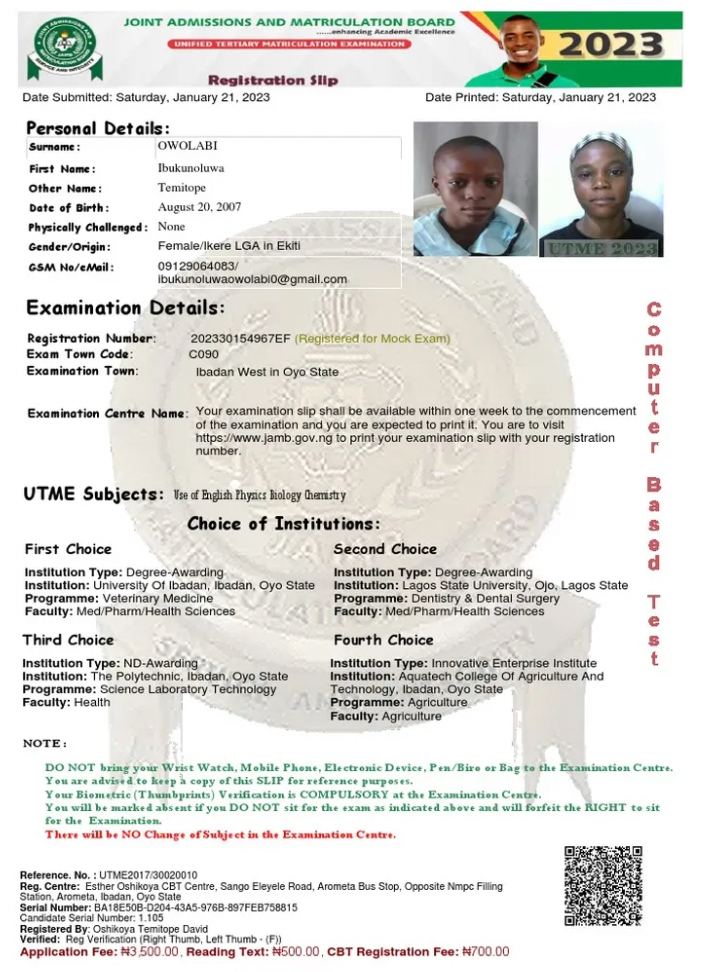
What Information Does the JAMB Exam Slip Contain?
Once you successfully reprint your exam slip, you will find the following key details clearly displayed on it:
- Your full name and registration number
- Your exam date and time
- The name of your exam centre and its full address and venue
- The subjects you registered to write
- Instructions on what to bring, what to wear, and when to report
All of this information is on one document, which is why it is so important to not just check it online but to actually print it out and keep it safe.
Is the Exam Slip Mandatory?
Absolutely, yes. JAMB requires you to present your printed exam slip alongside a valid means of identification before you are allowed into the exam hall. You cannot substitute one for the other, you need both. So once the printing window opens, print it immediately, keep a physical copy, and also save a digital backup on your phone just in case.
Now that you understand what the exam slip is and why it is so important, let us talk about timing specifically, when JAMB makes all of this available.
When Will JAMB Release Exam Centre Details for 2026?
This is the question on every candidate’s lips right now, and I completely understand the anxiety around it. The short answer is: JAMB releases exam centre details when the exam slip printing window officially opens — and that has not happened yet as of late February 2026.
JAMB typically opens the exam slip printing portal somewhere between one and three weeks before the first exam date.
Historically, the 2026 UTME exams are expected to take place in April or May, which means the printing window will most likely open sometime in March or April 2026. Until then, any attempt to access the slip printing portal will either show a “Printing Window is Currently Closed” message or simply not display any centre information at all.
What Is the Current Status as of February 2026?
As of now late February 2026 registration for the 2026 UTME is either ongoing or has recently closed, depending on when you are reading this.
JAMB has not yet assigned exam centres to candidates, and the slip printing portal is not yet active. This is completely normal and expected. Do not let anyone on social media or any third-party website convince you otherwise or charge you money to check your centre. Your centre simply does not exist in the system yet.
How to Stay Updated on the Printing Window
Here is what you should do to make sure you do not miss the moment the window opens:
- Visit the official JAMB website regularly: https://www.jamb.gov.ng/
- Follow JAMB’s verified social media accounts on Twitter/X, Facebook, and Instagram
- Check Nigerian education news platforms that report JAMB updates
- Talk to your school’s JAMB coordinator or exam officer who may receive bulletins directly
Once JAMB announces that the printing window is open, you want to act quickly. Now, let me show you exactly how to check your JAMB exam centre once that window opens, starting with the simplest and most recommended method.
How to Check Your JAMB Exam Centre Using the Slip Printing Portal
This is the most straightforward method, and it is the one I recommend for most candidates. JAMB has a dedicated portal specifically for printing examination slips, and it is designed to be simple enough for anyone to use — even if you are not very tech-savvy. All you need is a smartphone or computer, an internet connection, and your JAMB registration number.
Step-by-Step Process for the Slip Reprinting Portal
Follow these steps carefully, one after the other, and you will have your exam centre information in minutes:
- Step 1: Open your web browser: Chrome, Firefox, Opera Mini, or any browser you prefer — and type in this URL: https://slipsprinting.jamb.gov.ng/PrintExaminationSlip. If that link redirects you or seems inactive, go directly to the main JAMB website and look for the exam slip printing link on the homepage. JAMB usually places it prominently when the window is open.
- Step 2: Once the page loads, you will see a form asking for your details. Enter your JAMB Registration Number, this is the 10-digit number you received after completing your registration (it typically looks something like 202612345678). In some years, JAMB also allows you to use your registered email address or phone number instead, so look out for that option on the page.
- Step 3: After entering your registration number, click on the button that says “Print Examination Slip” or a similar prompt on the page.
- Step 4: If the printing window is officially open and your details are correct, your exam slip will load on the screen. Take a moment to review all the information displayed — your name, your subjects, and most importantly, your exam centre name and address.
- Step 5: Click Print to get a physical copy of the slip. A black-and-white printout is perfectly acceptable, but make sure the text is clear and readable. Also, take a screenshot or download a digital copy to your phone as a backup.
What to Do After Your Slip Loads
Once your slip is on screen, do not just rush to print and close the tab. Take a moment to note down your exam centre address separately, write it in your notebook or save it in your phone’s notes app.
Then, use Google Maps or ask someone familiar with the area to help you locate the centre in advance. This small step can save you enormous stress on exam day.
That said, not everyone finds the slip printing portal convenient. Some candidates prefer going through the e-Facility portal, especially if they are already logged in there. Let me show you how that works too.
How to Check Your JAMB Exam Centre Through the e-Facility Portal
The JAMB e-Facility portal is the main candidate dashboard where you manage most of your JAMB activities, from registration to result checking. It also gives you access to your exam slip, making it another reliable way to check your exam centre for 2026.
Step-by-Step Process for the e-Facility Portal
- Step 1: Open your browser and go to JAMB E-facility portal you can also access it by visiting the main JAMB site and clicking the labeled “JAMB SERVICE WEBSITE (E-FACILITY)”.
- Step 2: On the e-Facility homepage, click on “Log In” and enter the email address and password you used when you registered for the 2026 UTME. Make sure you are typing your email correctly — a small typo can prevent you from logging in.
- Step 3: Once you are successfully logged into your dashboard, look through the available options for anything labeled “Print Examination Slip,” “Reprint Slip,” or similar options under the UTME section. The layout may vary slightly depending on when you are accessing it, but the option will be visible once the printing window is open.
- Step 4: Click on the exam slip option and follow the prompts. You may be asked to confirm your registration number again before the slip loads. Once it does, you will see all your exam details including your centre name, address, date, and time.
- Step 5: Print the slip or save a digital copy, just as described in Method 1.
What to Do If You Forgot Your e-Facility Password
This happens more often than you might think, and it is nothing to be ashamed of. Here is how to recover your account:
- On the e-Facility login page, click “Forgot your Password?”
- Enter the email address you used during registration
- Check your email inbox (and spam folder) for a password reset link from JAMB
- Click the link, create a new password, and log in again
If you no longer have access to that email address, visit a nearby JAMB accredited CBT centre and explain your situation. They can guide you on how to recover your account through official channels.
Now that you know both methods, let me share some very important tips that every candidate should know before and after printing the exam slip.
Important Tips to Know Before and After Printing Your Exam Slip
Checking your exam centre is just one piece of the puzzle. There are a few more things you need to be aware of to make sure exam day goes as smoothly as possible.
Do not use third-party websites. I cannot stress this enough. There are many unofficial websites that promise to help you check your exam centre early or access your slip before the official window opens. These are scams. They either steal your personal information or charge you money for something that JAMB provides for free. Stick strictly to the official portals I have listed in this guide.
Do not panic if the portal shows “Printing Window is Currently Closed.” This message simply means you are too early. The window has not been activated yet. Check back regularly, especially once JAMB announces that printing has begun.
Check your slip details carefully. When your slip finally loads, verify that your name is spelled correctly, your registration number matches, and that all your subjects are listed accurately. If you notice any errors, report them immediately through the official JAMB support channels before exam day.
What to Bring to the Exam Centre on Exam Day
Getting to the exam centre is only half the battle — you also need to come with the right documents. Here is what JAMB requires:
- Your printed Examination Slip (mandatory, no substitutes)
- A valid means of identification — this can be your National ID card, Voter’s Card, International Passport, or Driver’s License
- Biometric verification will also be conducted at the centre, so make sure your fingerprint data matches what was captured during registration
Arrive at the centre at least 30 to 45 minutes before your scheduled exam time. Latecomers are typically not allowed in, and JAMB does not offer second chances on this.
What to Do If You Encounter Problems
If you try both methods and still cannot access your exam slip even after the printing window has been announced as open, here is what to do:
- Visit the nearest JAMB accredited CBT centre in your area and explain your issue. They have staff trained to assist candidates with portal-related problems.
- Contact JAMB directly through the official support section on https://www.jamb.gov.ng/
- Do not rely on WhatsApp groups or social media strangers for help — always go through official channels.
Conclusion
That’s all guys! With this guide, I am confident that you can now check your JAMB exam centre for the 2026 UTME is not a complicated process once you understand how the system works.
Stay calm, stay prepared, follow the steps in this guide, and you will have everything you need to walk into that exam hall with confidence. Good luck with your 2026 UTME — I am rooting for you
People Also Ask
What should I do if my JAMB exam slip shows the wrong exam centre or incorrect details?
This is a situation you want to catch and resolve as early as possible, which is exactly why I always advise candidates to check their slip thoroughly the moment it loads — before printing. If you notice that your exam centre is wrong, your name is misspelled, your subjects are incorrect, or any other detail does not match your registration information, here is what you should do step by step:
Step 1: Do not print the slip yet. Take a screenshot of the error as evidence.
Step 2: Visit the official JAMB website at https://www.jamb.gov.ng/ and navigate to the “Contact Us” or “Support” section. Look for the official customer support email or help desk contact.
Step 3: Write a formal complaint email to JAMB, clearly stating your full name, registration number, the error you noticed, and what the correct information should be. Attach your screenshot as supporting evidence.
Step 4: Alternatively — and this is often faster — visit the nearest JAMB accredited CBT centre in person. Bring your registration details and any supporting documents (like your original registration confirmation). The staff there are equipped to escalate correction requests directly to JAMB on your behalf.
Step 5: Follow up regularly until you receive confirmation that the correction has been made. Do not wait until the day before your exam to sort this out — the earlier you report it, the better your chances of getting it resolved before exam day.
Remember, JAMB is the only body with the authority to correct details on your exam slip. No third party can do this for you, and anyone who claims they can for a fee is lying to you.
